Business tips
9
min read


SEO compounds long‑term, lowers CAC over time, and builds brand trust; Google Ads delivers instant visibility, precise targeting, and predictable scale, helping to attract potential customers. In 2025, the highest ROI usually comes from a hybrid plan: use Ads to capture high‑intent demand now (and test messaging), and invest in SEO to grow durable, compounding traffic. Rule of thumb: Ads for speed and testing; SEO for moat and margin.
When businesses want to increase their online visibility, they often face a crucial decision: invest in search engine optimization, Google AdWords, or run pay-per-click vs. SEO campaigns. Both strategies help websites appear in Google search results, but they work in very different ways.
SEO focuses on optimizing a website to rank organically, which takes time but leads to sustainable, long-term traffic. Google Ads SEO, on the other hand, provides instant visibility by placing paid advertisements at the top of search results, but requires ongoing investment.
The question is not just which one is better, but which one is the right fit for your business goals. This article breaks down the key differences, cost factors, and strategic advantages of SEO and PPC ads, helping you make the best marketing decision for 2025. Let’s dive in!
Think of SEO as building a reputation in your neighborhood: slowly earning trust through helpful content, optimized site structure, and consistent engagement. Google Ads is more like renting a billboard on the busiest street: instant visibility, but the moment you stop paying, it’s gone.
SEO focuses on improving organic rankings through keyword targeting, content quality, and technical optimization. It compounds over time, often leading to lower long-term customer acquisition costs. The downside? It’s a slow burn. Results can take months, and algorithm updates can shake your rankings overnight.
Google Ads works on a pay-per-click model, letting you appear at the top of search results immediately. It’s great for testing offers, targeting high-intent queries, and scaling quickly for paid traffic. But it’s also a constant expense, and competitive space can make some keywords prohibitively expensive.
These channels aren’t enemies. Many companies run Google Ads for high-intent keywords while building SEO to capture organic traffic later. For example, a startup could bid on “project management software for startups” to win customers now while creating an SEO content hub to own that keyword organically in six months.
If SEO is your retirement fund, Google Ads is your side hustle; ideally, you want both paying off.
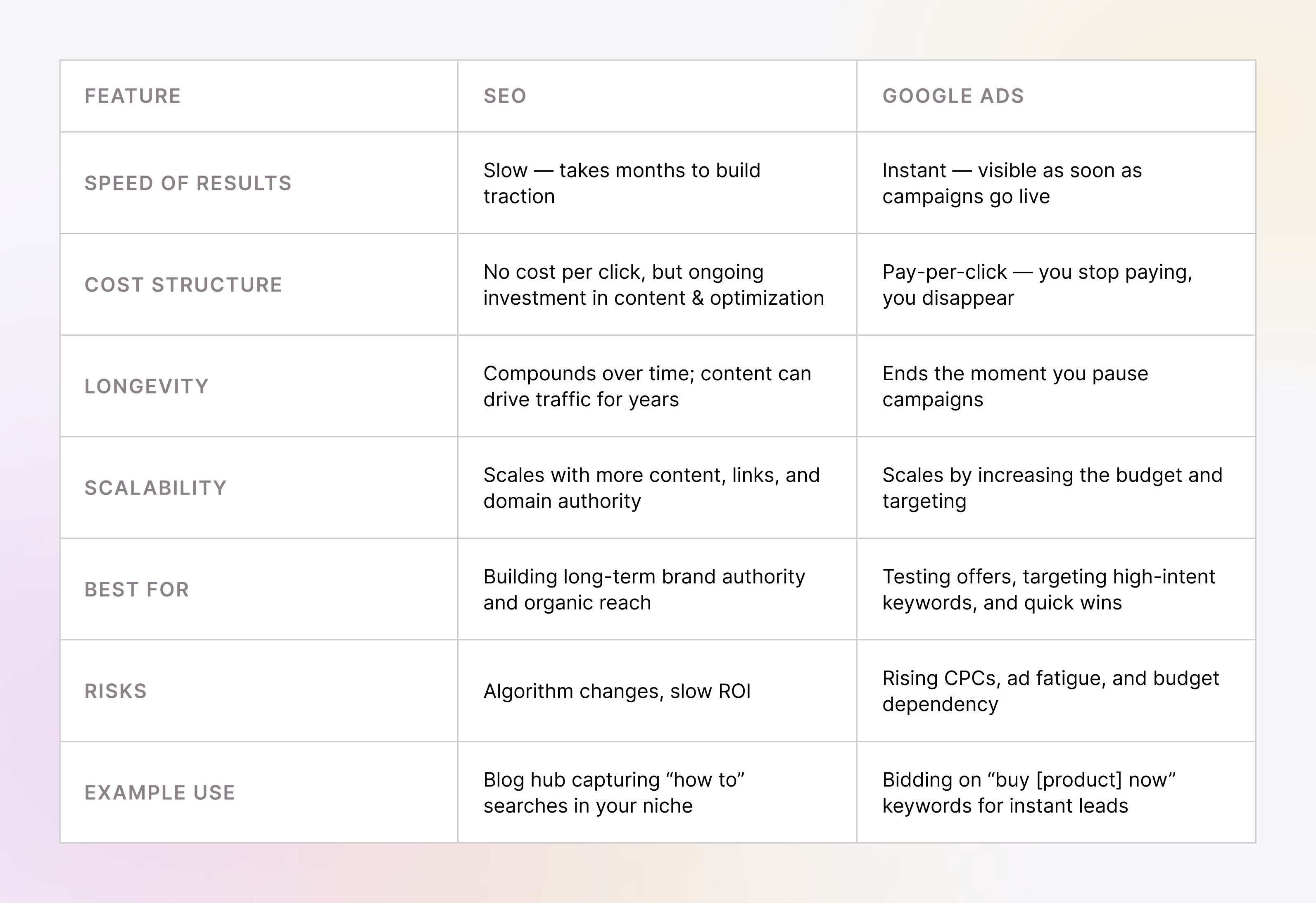
SEO and Google Ads each are fine alone, but together they create something much better.
Google Ads data can reveal which keywords actually convert, saving you months of SEO guesswork. If a paid keyword drives leads, build content around it for organic rankings. This way, SEO inherits proven winners instead of chasing vanity terms.
On the flip side, SEO insights can lower your ad spend. High-ranking organic pages let you dial back bids on those keywords and reallocate budget to terms where you don’t yet rank. For example, if your blog already owns “best CRM for startups,” why pay $15 a click to show an ad for it?
You can also use Ads to A/B test landing page copy, headlines, and calls-to-action before rolling those changes into your organic pages. Think of it as rapid prototyping for SEO.
The smartest teams run both channels in parallel: Ads for speed and precision, SEO for staying power and cost control. The magic is in letting them talk to each other.
When it comes to digital marketing, SEO and Google Ads are two of the most effective tools for driving traffic. However, they operate on very different principles.
Each approach has its strengths and limitations. Below is a detailed breakdown of how they work and how they compare.
Let’s take a brief look at both.
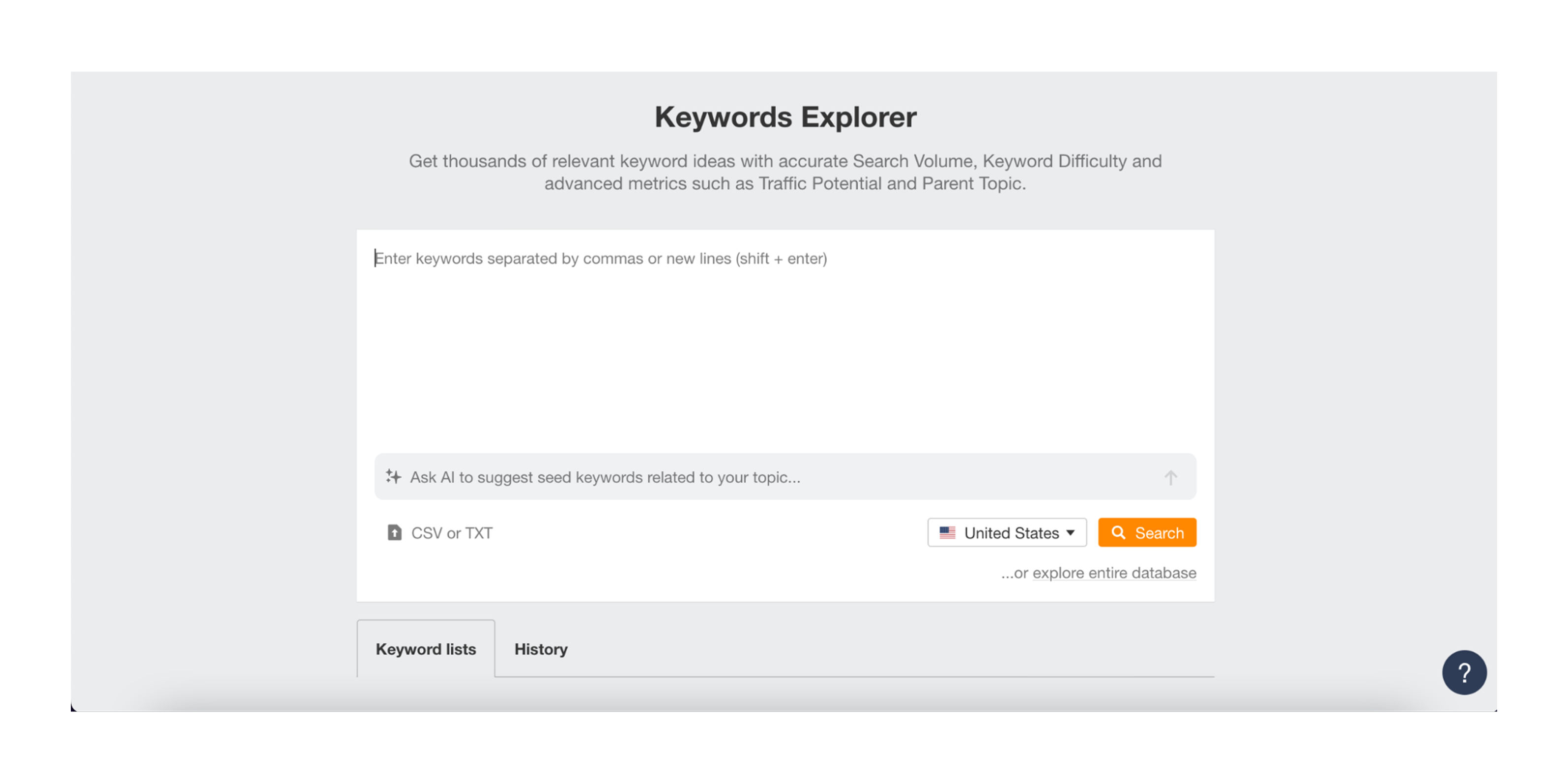
SEO is the process of improving a website’s content, structure, and authority to rank higher in Google’s organic search results. It involves:
For example, if a bakery in New York optimizes its website for the keyword “best cupcakes in NYC”, it can rank on the first page of Google and attract customers without paying for search ads.
Additionally, following scientific advertising principles can help businesses craft compelling content that resonates with their target audience and improves SEO effectiveness.
Advantages of SEO:
Challenges of SEO:

Google Ads is a paid advertising platform where businesses bid on keywords to appear at the top of search results. Every time a user clicks an ad, the advertiser pays a fee.
For example, a bakery running an ad for “order cupcakes online NYC” can instantly appear above organic search results, driving immediate traffic. The same goes for seasonal, for example, Christmas or Black Friday marketing – it makes sense to push it quickly.
Advantages of Google Ads:
Challenges of Google Ads:

Key Takeaway
SEO vs. PPC is not about choosing one over the other—it is about understanding how each fits into a business’s budget, timeline, and marketing objectives. SEO and PPC management together can provide a comprehensive marketing strategy that balances short-term gains with long-term growth.
For agencies and freelancers offering digital marketing services, one of the biggest challenges is convincing clients to invest in either SEO or Google Ads. While both strategies have their benefits, Google AdWords SEO is often the easier sell, while SEO requires more education and long-term commitment.
To understand why, let’s look at real insights from marketing professionals and business owners on Reddit.
Many businesses, especially startups and small companies, want fast results. They are often more comfortable spending money on Google SEO ads because they guarantee immediate leads, rather than waiting months to see an impact.
Key reasons why Google Ads SEO is easier to sell:
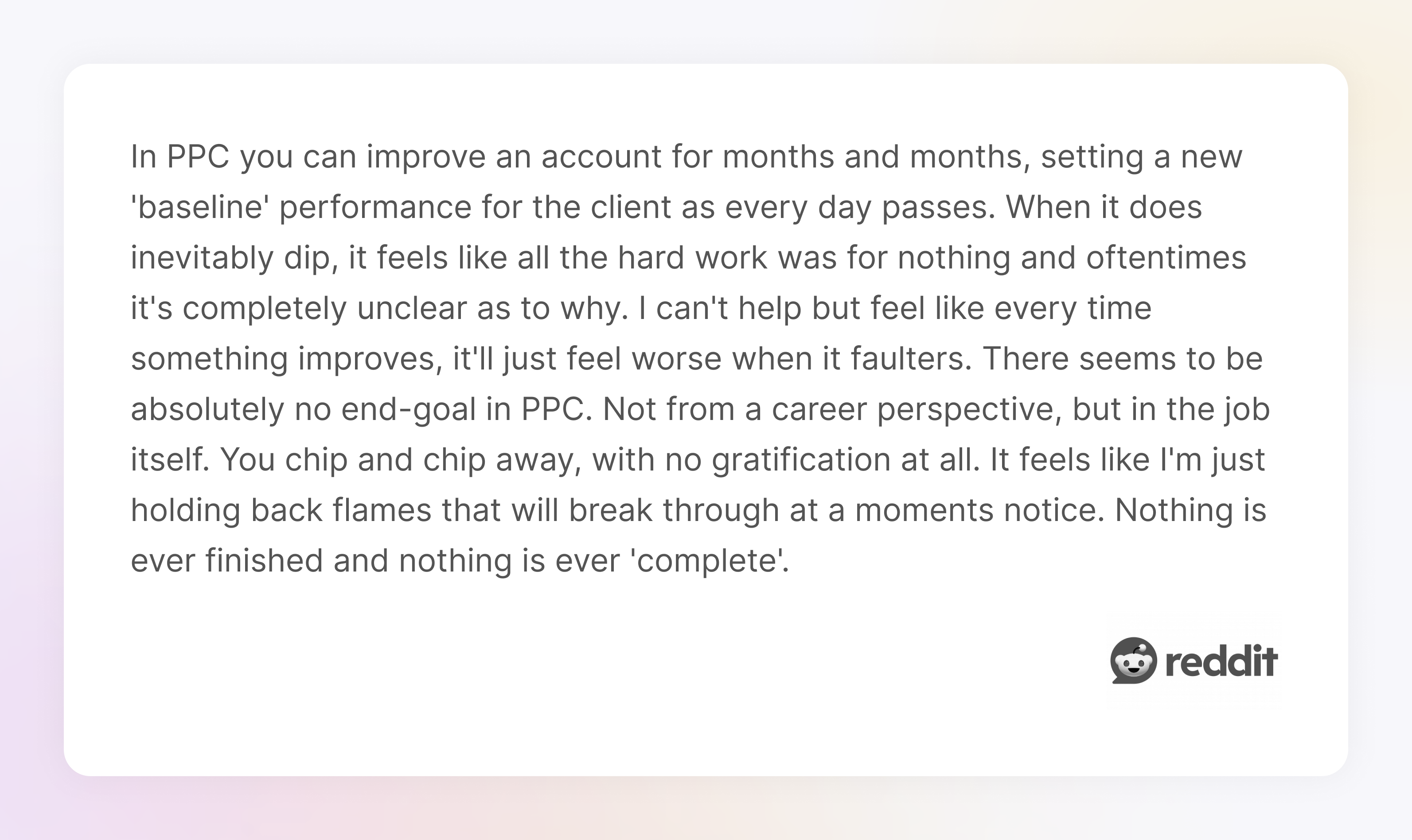
A Reddit user working with PPC shared:
"...In PPC, you can improve an account for months and months, setting a new 'baseline' performance for the client as every day passes. When it does inevitably dip, it feels like all the hard work was for nothing and oftentimes it's completely unclear as to why..."
SEO, in contrast, requires a long-term mindset. Many business owners hesitate to invest in advertising SEO because:
However, SEO has a much higher return on investment over time. A well-optimized website can generate consistent, high-intent traffic for years without the ongoing costs of PPC in SEO.
Additionally, businesses that focus on boosting their marketing strategy through high-quality content and consistent SEO efforts tend to see better long-term results. It’s the same logic you see in tech, where keeping an eye on javascript trends ensures stability and innovation.
Key Takeaway
Cost is one of the biggest deciding factors when choosing between SEO and PPC. While Google Ads SEO provides immediate traffic, it requires ongoing spending to maintain visibility. SEO Google AdWords, on the other hand, takes time to build momentum but delivers long-term, sustainable traffic without recurring ad costs.
To determine which approach is more cost-effective, it is essential to look beyond just upfront costs and consider hidden expenses, scalability, and return on investment (ROI).
Google SEO ads operate on a pay-per-click (PPC) model, where businesses bid on keywords and pay for each visitor. While this can generate quick leads, several hidden costs can make advertising SEO an expensive long-term strategy.
Despite these costs, Google Ads can be a good short-term strategy for product launches, seasonal campaigns, or businesses that need immediate sales.
SEO requires an initial investment in content creation, technical improvements, and link building, but once a website ranks, the traffic is essentially free. Unlike PPC, where costs scale with traffic, SEO traffic compounds over time.
Key reasons why SEO is more cost-effective in the long:
Investing in SEO also aligns with broader marketing KPIs examples and goals that track sustainable growth rather than short-term wins.

Key Takeaway
SEO and Google Ads are often viewed as competing strategies, but the most effective approach is to use both strategically. While SEO builds long-term traffic and brand credibility, Google Ads provides instant visibility and keyword testing opportunities. When combined, they create a balanced, data-driven marketing strategy that maximizes results.
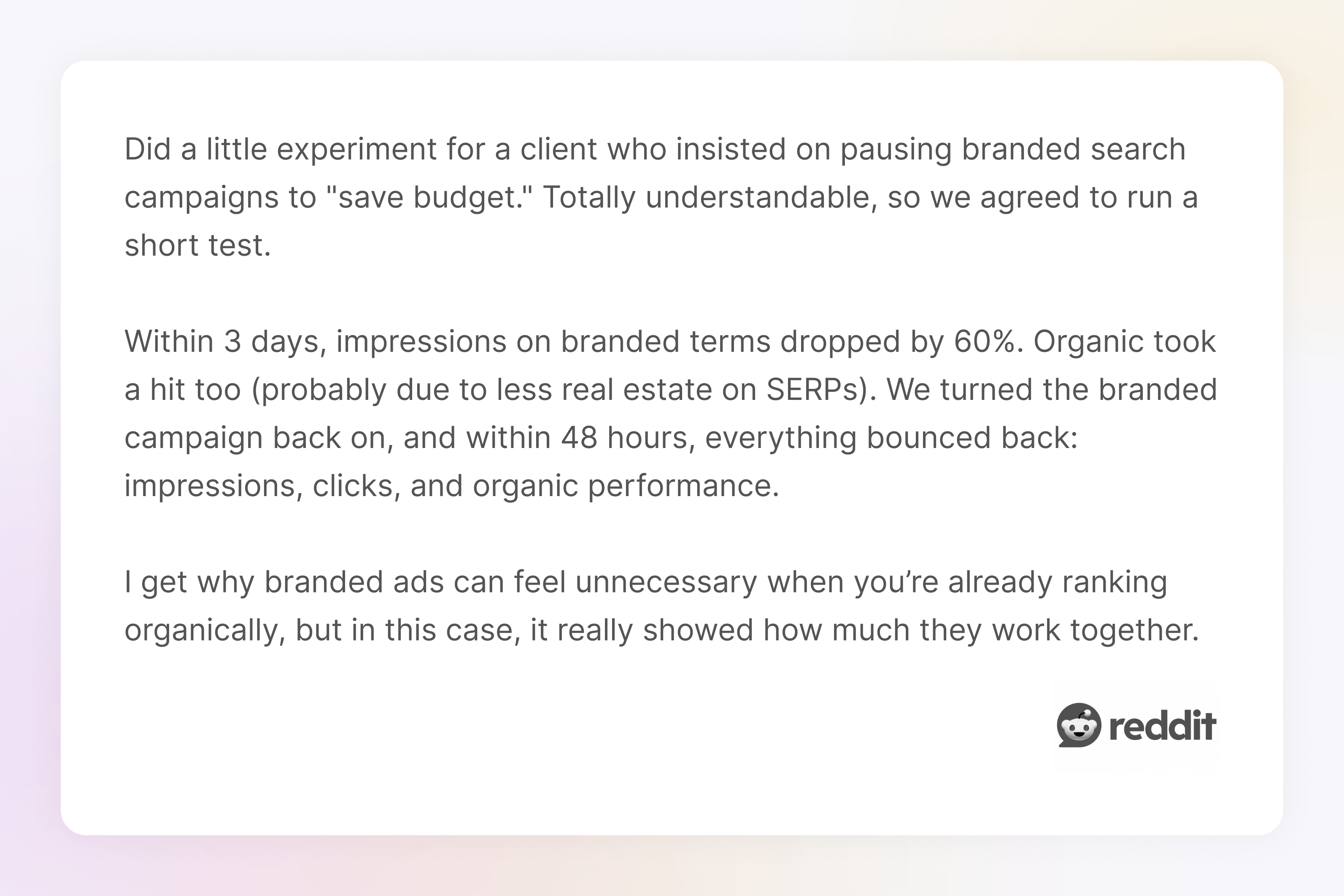
A Reddit user shared their experience:
"Did a little experiment for a client who insisted on pausing branded search campaigns to "save budget." Totally understandable, so we agreed to run a short test.
Within 3 days, impressions on branded terms dropped by 60%. Organic took a hit too (probably due to less real estate on SERPs). We turned the branded campaign back on, and within 48 hours, everything bounced back: impressions, clicks, and organic performance."
The best marketing strategy depends on business goals, budget, and timeline. Below is a breakdown of when to prioritize each approach.

Key Takeaway
Both SEO and Google Ads are powerful marketing tools that can help you boost your marketing strategy, but they work best when used together. Google Ads delivers immediate traffic and quick insights, while SEO builds long-term credibility and organic growth. Businesses that leverage both strategies can maximize their reach, drive more conversions, and create a sustainable marketing engine.
However, success in both areas depends on high-quality visuals and user-friendly design. Whether it’s SEO-optimized articles with engaging graphics or Google Ads with compelling creatives, strong visual design plays a key role in conversion rates — a point often emphasized in any well-written medium blogging guide.
At TodayMade, we specialize in marketing design that enhances performance, ensuring that your ads stand out and your content keeps readers engaged. If you want to improve your digital marketing results with high-converting visuals, let’s talk.


